


Free on the App Store
Text what you ate. Calchat keeps count.
Calchat is a calorie and lifting tracker you log by texting a coach. Say what you ate or what you lifted and it’s on your day, with the macros worked out.
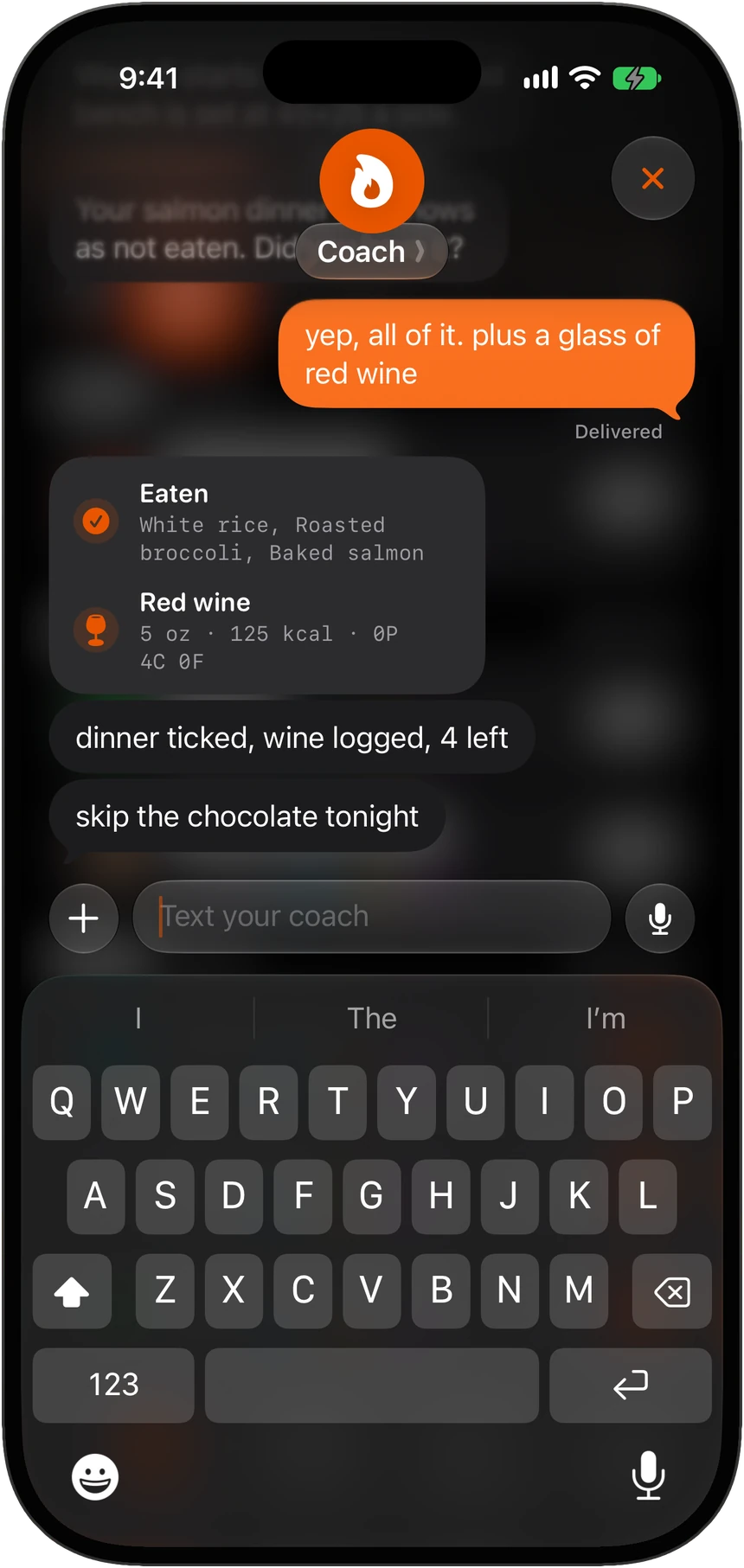
- a text
- a photo of your plate
- a barcode
- Apple Health
Say it how you’d say it. It lands as a row.
chipotle chicken burrito bowl for lunch
yep, all of it. plus a glass of red wine
bench 185, three sets of 6. felt like an 8
The app keeps the books. You just eat and lift.
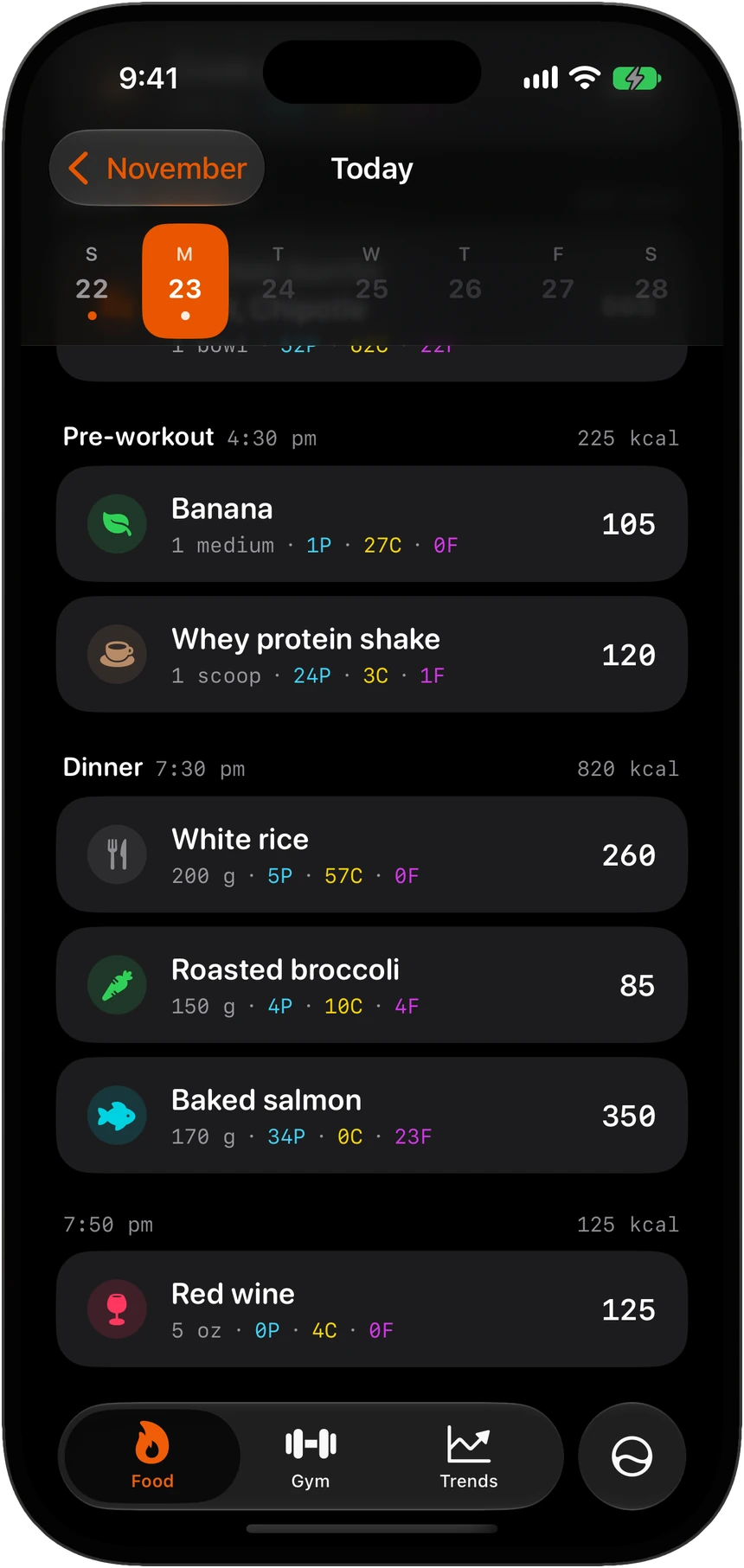
counted as you go.
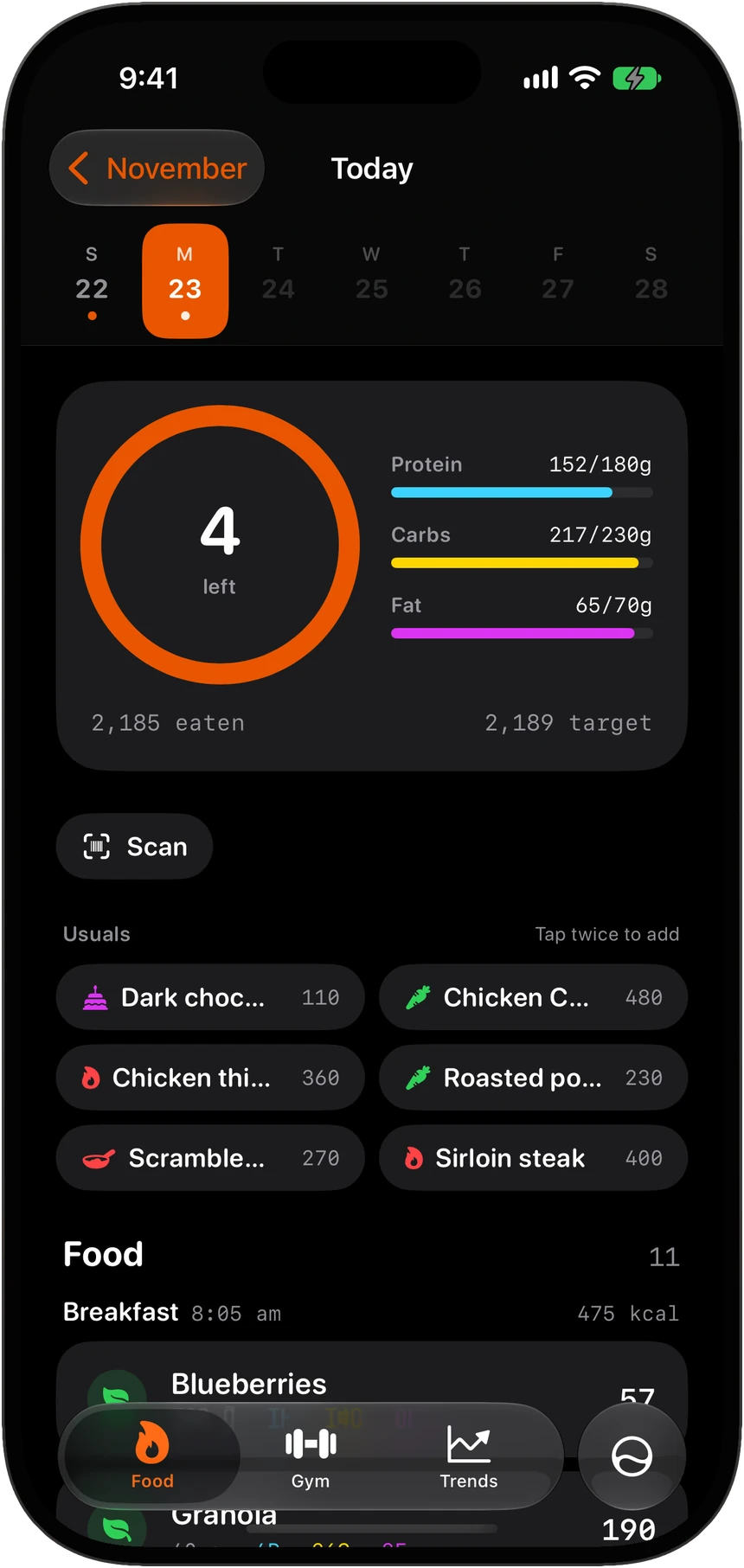
on the day you ate it.
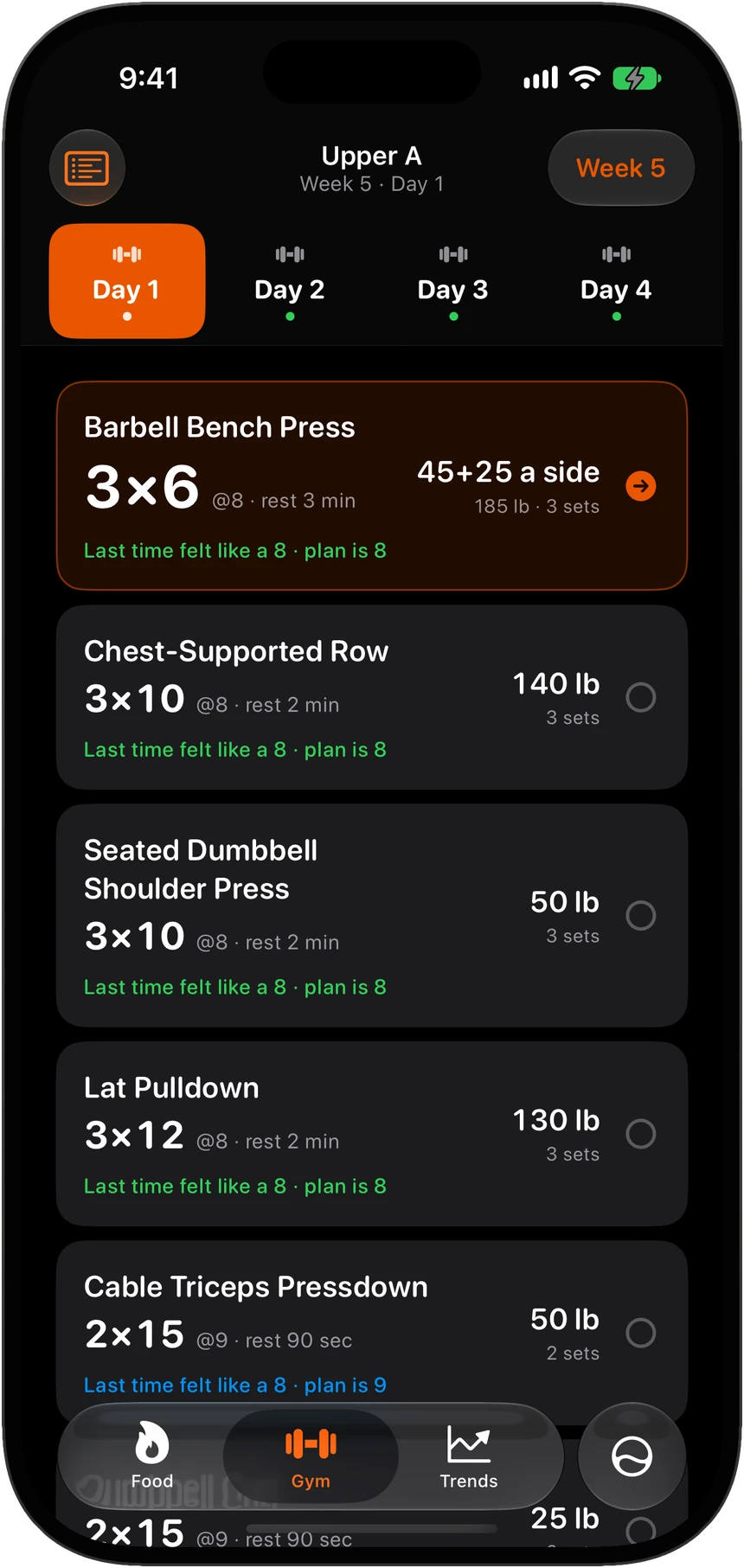
today’s weights set.
minus the noise.
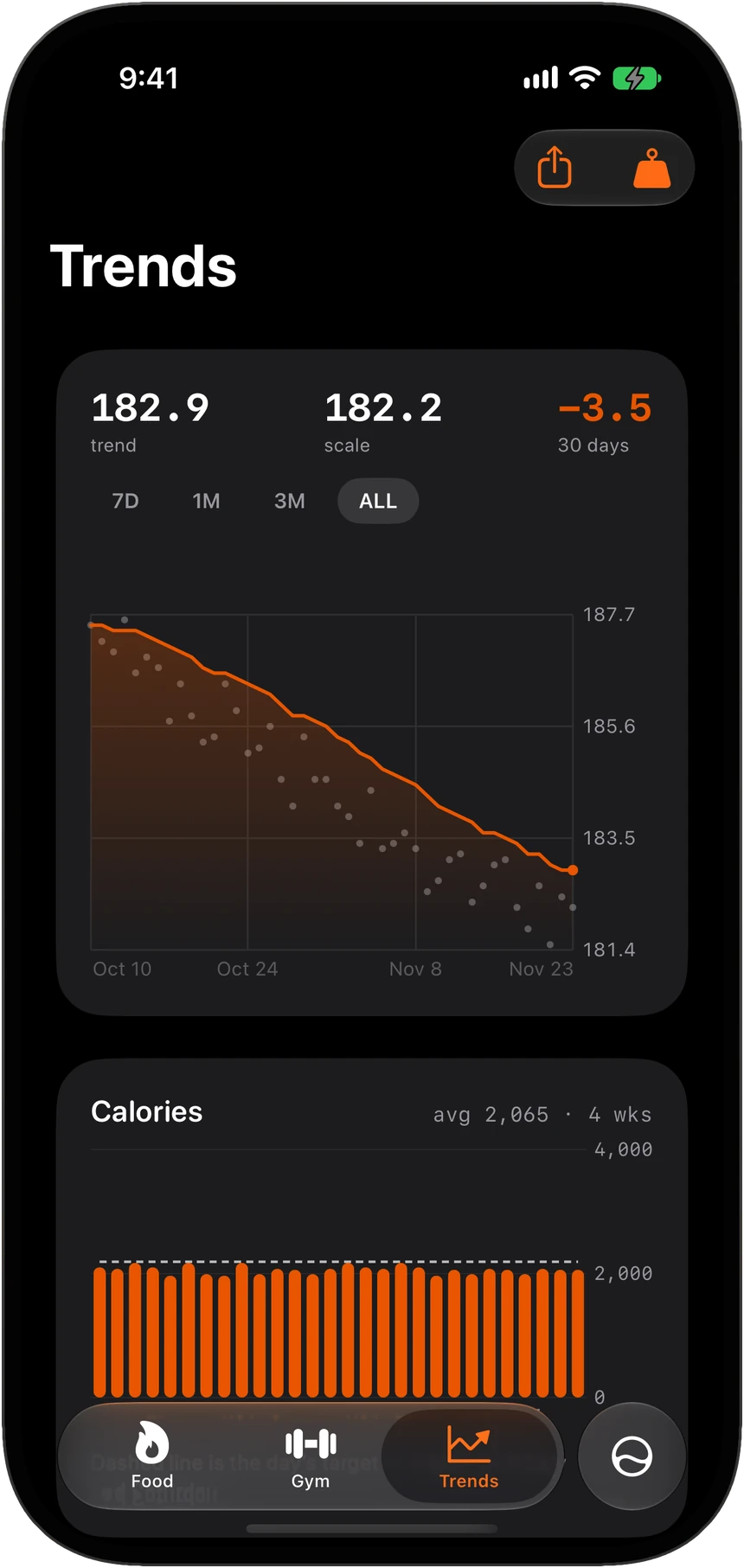
Every Sunday it reads your week.
The coach looks at what you ate and what the scale did, works out what you’re burning, and sets next week’s targets and weights. These are its own words from one review.
Your average over the last 28 days was 2066 kcal and your weight trend is 181.7, dropping 0.6 lb a week. You’re burning about 2564 a day.
Protein is the big change. You’ve been eating about 150, so you’re 45 short most days. A second scoop of whey or a bigger piece of meat at dinner covers it.
Week 5 starts with Upper A, and bench is set at 45+25 a side.
Bring your own agent. Calchat is free.
Claude, ChatGPT, Claude Code, Codex: the AI you already pay for can be your coach, and Calchat charges nothing for it. No subscription and no trial.
It gets what our coach gets: the same context, the same tools, the same journal your phone shows. Tell it what you ate and it’s on your phone within a minute.
In Claude, ChatGPT or any app that takes a connector
https://tally.unionst.com/mcpAdd it as a custom connector (an MCP server) and sign in with your phone number. That’s the whole setup.
In Claude Code, Codex or any agent with a terminal
Set up Calchat, my nutrition and training tracker, in this folder so you can be my coach.
1. Install the CLI: mkdir -p ~/.local/bin && curl -fsSL https://tally.unionst.com/api/cli -o ~/.local/bin/tally && chmod +x ~/.local/bin/tally (it needs Node 20+; make sure ~/.local/bin is on PATH).
2. Sign me in: run `tally login --phone <my number>` (ask me for the number with country code), then ask me for the six-digit code I get texted and run `tally login --code <code>`.
3. Run `tally init .` — it writes CLAUDE.md, AGENTS.md and COACH.md here — then read them and follow them from now on.
Make an empty folder, open it in your agent and paste the prompt. It installs the tally command, signs you in with a texted code and writes the instructions the agent needs.
Free to track. Pay only for our coach.
The app
Free
Your day, your program and your trends, on your phone for as long as you like.
Your own agent
Free
Connect the AI you already use and it logs, plans and reviews with the tools our coach has. How to connect it
Our coach
$9.99 a month, after a free week
Built into the app. Logs what you text, sets your targets, plans the next session and reviews your week.
Questions
- How do I log a meal?
- Text the coach what you ate, the way you’d tell a friend. A photo of the plate or a screenshot of a menu works too, and packaged food scans by its barcode. Calchat works out the calories and macros and puts the meal on your day.
- Does it track lifting?
- Yes. Give the coach your program or have it write one. The Gym tab shows today’s lifts with the weight for each, you tap sets off as you go, and the next session follows from what you did.
- Do I have to do any math?
- No. Your targets, what’s left today and the weekly plan are computed from your own food and weigh-ins. The coach never guesses a number.
- What does it cost?
- The app is free. Our coach is $9.99 a month after a free week. If you’d rather use your own AI (Claude, ChatGPT, Claude Code, Codex), connect it and it does what the coach does. Calchat charges nothing for that.
- Does it work with Apple Health?
- Weigh-ins and workouts you record in Health show up in Calchat, so a smart scale or a watch keeps your trend current without typing.
- What do you know about me?
- Your account is your phone number and nothing else is asked for. The journal is yours to read and export in full at any time, and only your signed-in devices and agents can see it.